

What VoodooDreams offers on mobile
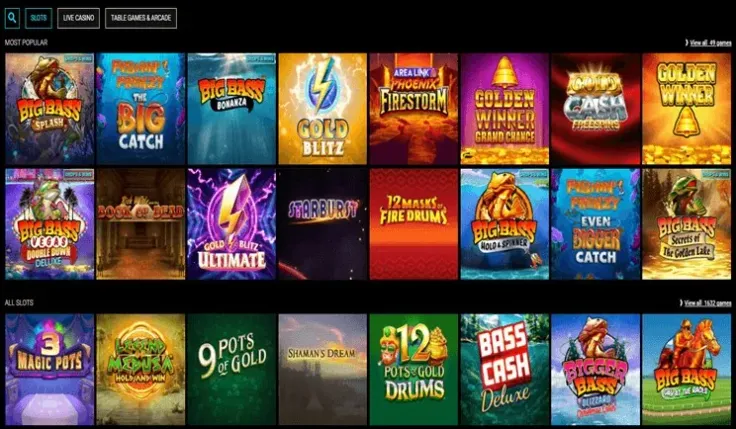
The mobile site is VoodooDreams's only route to the casino from a phone. It runs in the browser you already use, so you need no storage space for an app and no updates to install. You sign in with the same details you would use anywhere else; the login page covers that.
The mobile site gives you access to the casino side of VoodooDreams, including live casino games. The library draws on 103 providers, among them NetEnt, Nolimit City, Play'n GO, Blueprint Gaming, Evolution Gaming, Pragmatic Play, Quickspin, Thunderkick, Big Time Gaming, Light & Wonder, Playson, ELK Studios, Push Gaming, Relax Gaming, Inspired Gaming, Games Global, Reel Kingdom, Hacksaw Gaming, Stakelogic and OnAir Entertainment. The mobile version page is the place to check how the casino behaves on a phone screen.
Because there is no app, anything described as the "VoodooDreams app" needs care. Search results and file-sharing sites sometimes list files with the casino's name on them. Since VoodooDreams has no iPhone or Android app, such a file does not come from the casino. Use visit VoodooDreams or this site's mobile page to reach the real thing, and never install a file from an unknown source on your phone.
If you own an iPhone, the iPhone app guide explains your options in plain terms. Android owners should read the Android app guide, which does the same for that platform. The two pages exist because many players search for an app by device, and each gets a direct answer there.
Everything else about the casino works as it does on any device: you pay in through the methods on the deposit page and cash out as set out on the withdrawals page. Games are covered in slots and live casino. Playing in a browser changes the screen you play on, not the rules of the account.
VoodooDreams is operated by SuprPlay Limited and holds a UK Gambling Commission licence, number 048695-R-327029-014. You can check it on the Gambling Commission register entry. The safety page goes through the licence in more detail.
Which page to read for your device

The three pages answer different questions, so the one you need depends on what you are trying to do.
- Mobile version: the page to read if you want to play on a phone or tablet. It covers the browser site, which is how VoodooDreams works on mobile.
- iPhone app: for players who searched for an App Store download. It tells you there is no iPhone app and what to use instead.
- Android app: the same for Android phones, including why you should not install an APK from a third party.
In practice the iPhone and Android pages lead to the same place as the mobile page, because the browser site is the only option on either platform. The difference is the wording: each page speaks to the question people ask about their own phone.
Browser play and an app differ in a few general ways. An app sits on your home screen and can send notifications; a browser site does not need installing and does not take up space. That is a general point about the two formats, not a feature of VoodooDreams. For VoodooDreams, the choice is already made, because only the browser site exists.
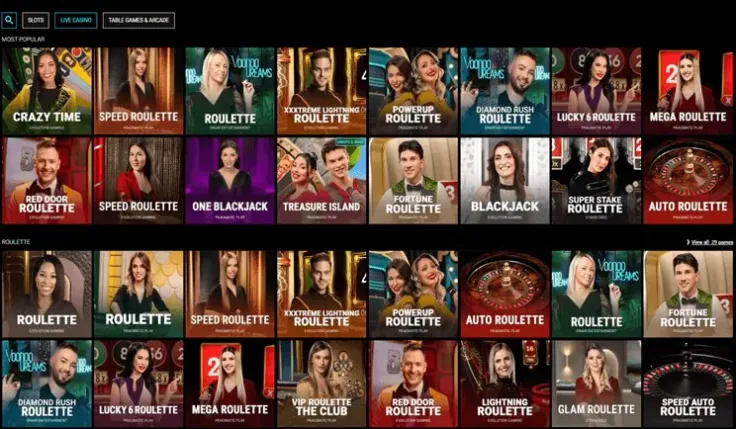
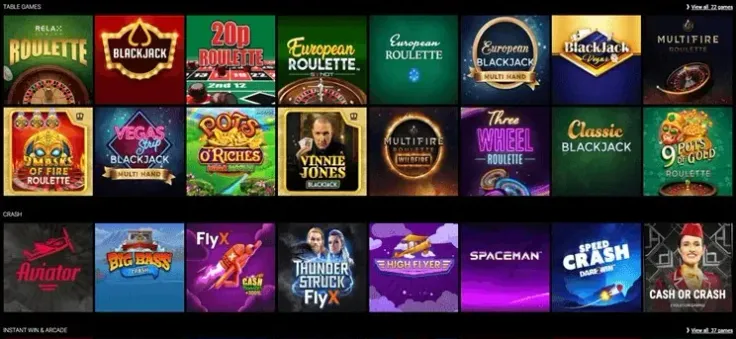
Beyond device pages, the rest of this section points to the parts of the casino you are likely to open on a phone. Slots covers the slot library and how individual games pay. Live casino covers the tables streamed from a studio, which depend more on your connection than on your handset. Games gives the wider picture.
Offers work the same way regardless of device. The VoodooDreams welcome offer is "Get 140 Free Spins when you deposit £25", with wagering of 10x (on free spin winnings, paid as bonus funds), a minimum deposit of £25 and a validity of 7 days. It covers Selected slots (20 spins/day for 7 consecutive days). The welcome bonus page has the details. T&Cs apply.
Existing players can look at 5% Weekly Cashback and Drops & Wins; the bonus offers page and the cashback page cover them. T&Cs apply.
18+ · T&Cs apply
How to decide where to start
Begin with the question you need answered. Each of these has a page that gives a direct answer:
- If you want to play on a phone, read the mobile version page.
- If you wanted an iPhone download, read the iPhone app page.
- If you wanted an Android download, read the Android app page.
- If you do not yet have an account, the sign-up page shows the steps.
- If you already have one, the login page is the quickest route back in.
Then think about how you want to use the casino. Slots work well on a small screen because a round is a single reel layout. Live tables need a steady connection and are easier to follow on a larger screen. That is general advice about how those formats behave, not a statement about VoodooDreams's layout. Check the table limits before you join a live game, as you would anywhere.
Payments are worth checking before you play from a phone. VoodooDreams accepts Debit Card (Visa/Mastercard), PayPal, Skrill, Neteller, Bank Transfer / Trustly and Paysafecard. Withdrawals have a minimum of £20 and take Up to 72 hours. Choose a method you can also use to withdraw, and read the deposit page and the withdrawals page first.
Finally, decide whether a bonus matters to you at all. Playing without one is a perfectly reasonable choice; the conditions on any offer are worth reading in full before you accept it.
Practical tips for playing on mobile
Use a connection you trust. Public Wi-Fi at a station or café is a poor place to sign in to a casino account. Your mobile data connection or your home network is the safer choice. A steady signal also matters for live casino, where a dropped connection interrupts a round.
Reach the casino through a link you trust. Because there is no app, the only thing to guard against is a fake. Use visit VoodooDreams or this site's mobile page, and avoid links in unsolicited messages. If a site asks you to install a file to play, leave it.
Keep your login details private. Do not save your password in a browser on a shared phone, and set a screen lock. If the phone is lost, change your password from another device.
Check what you have agreed to before you deposit. The terms and conditions set the rules for the account and for any offer. The welcome offer, for example, has wagering of 10x (on free spin winnings, paid as bonus funds) and is valid for 7 days. T&Cs apply. Reading these on a small screen is tedious, but it is the step that prevents surprises later.
Expect verification. VoodooDreams requires account verification, so have your documents to hand. The verification page lists what to prepare.
Set your limits in advance. Decide how much you are willing to spend on entertainment before you open the site, and use the deposit limits and time-outs described on the safer gambling page. GAMSTOP, at gamstop.co.uk, covers all UK-licensed casinos if you want to stop altogether.
Know where to get help. VoodooDreams support has live chat and email, with support hours of 24/7. The contact page lists the channels, and the FAQ answers common questions about accounts and payments.
On slots, remember that UK rules set a maximum stake per spin and a minimum spin time. They apply on a phone just as on a computer, and the stake limit is lower for players under 25.