
To make a deposit at VoodooDreams, you log in, open the cashier, choose a payment method, enter an amount and confirm, as the steps above show. This page covers what to prepare before you start and what to do if a payment stops partway.
Have these ready:
- A registered VoodooDreams account. If you do not have one yet, the sign-up guide comes first.
- Your login details. If you are unsure how to get in, see the login guide.
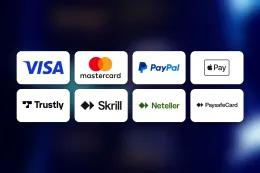
- A payment method in your own name from the list: Debit Card (Visa/Mastercard), PayPal, Skrill, Neteller, Bank Transfer / Trustly and Paysafecard.
- Your identity documents, because verification is required: Photo ID and Selfie holding ID (face verification).
Deposits are made only inside your account on VoodooDreams's own website. This site has no payment form and never asks for card or account details. The "Limits and requirements" table above shows how each method works for deposits and withdrawals, so check it before you pick one.
What stands behind a VoodooDreams deposit

A deposit looks like one short form, but a few things happen around it. The main ones are account checks, the payment method you choose, and where the money can go back to later.
Age and identity checks
UK-licensed operators must verify your age and identity before you can deposit or play, and VoodooDreams requires verification. The documents are Photo ID and Selfie holding ID (face verification). A photo ID shows who you are, and the selfie holding your ID shows that the person on the document is the person using the account.
Prepare these before your first deposit and the process is easier. Use a clear, current document, and make sure the name and date of birth match what you entered at registration. The verification guide goes through the documents in more detail.
Choosing a payment method
VoodooDreams accepts Debit Card (Visa/Mastercard), PayPal, Skrill, Neteller, Bank Transfer / Trustly and Paysafecard. All of them work for deposits, and they differ in a few practical ways.
- Debit card (Visa/Mastercard): the familiar option. It must be a debit card, because credit cards are banned for gambling in Great Britain.
- PayPal, Skrill and Neteller: e-wallets. You need an existing, working account with the provider, and the payment is confirmed through that provider.
- Bank Transfer / Trustly: a payment made from your bank account. It follows your bank's own security steps.
- Paysafecard: a deposit-only method. The table shows withdrawals as not available, so any payout would need a different method.
Use only methods registered in your own name. A card, wallet or bank account belonging to someone else is a common reason for a payment to fail or for a later request to be queried. Choosing the method you also want to withdraw to saves a step later, because the withdrawals guide covers which options work both ways.
Limits and what the table shows
The limits and requirements table above shows the deposit conditions for this page. Check it before you enter an amount, and keep in mind that your bank, card issuer or e-wallet provider may apply its own limits on top.
If you are depositing for an offer
If a bonus is the reason for your deposit, read the terms on the welcome bonus page first. Minimum deposits, wagering and time limits vary by offer, and T&Cs apply. Do not assume a payment qualifies until you have read the conditions.
18+ · T&Cs apply
Common deposit problems and what to do
Most failed deposits come from a small set of causes. Work through them in this order before you try again.
You cannot log in
Deposits need a logged-in account. If your password is not accepted, use the password reset option on VoodooDreams's own website rather than guessing repeatedly. Never follow a reset link from a message you did not request, and never enter your password on any page that is not VoodooDreams's. The login guide covers access problems in more detail.
The payment does not go through
Check these in turn:
- The card number, expiry date and security code, or the wallet email, are typed correctly.
- The method is in your own name and matches the name on your VoodooDreams account.
- The card is a debit card. Credit cards cannot be used for gambling in Great Britain.
- The balance or available funds cover the amount you entered.
- You are using the cashier on VoodooDreams's own website, with a stable connection.
If everything looks right, try a different method from the list. Some banks and wallet providers block or query gambling payments, and a call or message to them may be needed. Do not repeat the same failed payment many times in a row. Check your bank or wallet statement first so you know whether money has left your account.
A deposit is taken but the balance has not changed
Keep the payment reference, the amount and the time. Check the transaction history in your account and in your bank or wallet. If the money has left your account and your VoodooDreams balance has not changed, contact support with those details.
A document is rejected
Verification needs Photo ID and Selfie holding ID (face verification). A rejected document is usually one that is blurred, cropped, expired or does not match your account details. Send a new photo of the full document in good light, with all four corners visible and nothing covering the text. For the selfie, hold the same ID next to your face so both can be read clearly. Do not edit or alter images, and do not use someone else's documents.
When to contact support
If the steps above do not fix the problem, contact VoodooDreams support by live chat or email. Support is available 24/7. Include your account email, the payment method, the amount, the time of the attempt and any error message you saw. You can find the other contact details on the contact page.
Keeping your account and deposits under control

Treat your VoodooDreams login and payment details like banking details.
- Enter your password only on VoodooDreams's own website.
- Use a password you do not use anywhere else, and do not share it.
- Keep your documents ready and up to date, so a verification request does not hold you up.
- Use your own payment methods only, and check your statement after each deposit so you know what has left your account.
- Check the amount on the confirmation screen before you confirm the payment.
Set a deposit limit on your account before you pay, and decide the amount while you are not mid-session. Gambling is paid entertainment, and the amount you deposit should be money you can spend on that without affecting bills or savings. If you want to change your limits, take a break or self-exclude, the safer gambling page explains the tools and the free support services available. If you decide to stop, you can also register with GAMSTOP to exclude yourself from UK-licensed online casinos.
When you later want to take money out, go to the withdrawals guide. It covers which methods work both ways and what to check before you request a payout.