

VoodooDreams on mobile means the mobile site. There is no iPhone app and no Android app, so you play by opening VoodooDreams in the browser on your phone. That is the answer to "voodoodreams mobile": a website you reach through Safari, Chrome or whichever browser you already use.
The practical upside is that there is nothing to install, no store listing to search for and no app updates to manage. The downside is that you depend on your browser and your connection. This page covers what that is like in daily use and how to keep your account secure on a phone. If you wanted a native app, the app overview covers it.
What you get on your phone

The mobile site is the way to reach VoodooDreams from a phone or tablet. You open it in the browser, log in or create an account, and use the casino there. The steps above show the route, including how to add a shortcut to your home screen.
Compared with the desktop site, the main difference is how you get there. On a computer you type the address or use a bookmark. On a phone you can do the same, or use Add to Home Screen so the site sits among your other icons. That icon is a shortcut to the website, not an installed app. It opens the same site and depends on the same browser and connection.
If you already have an account, logging in on your phone works the same way as on a computer. If you are new, the sign-up guide walks through creating an account. You can do either from the phone browser.
A few things follow from playing in a browser rather than an app:
- Your browser's own settings, such as saved passwords and pop-up handling, apply to the casino too.
- If the page stops loading, the cause may be your signal or browser rather than the casino, so try reloading before assuming a problem with your account.
- Rotating the phone between upright and sideways may change how a game fits the screen. Some players prefer sideways for tables and slots with wide layouts, but that is a matter of comfort.
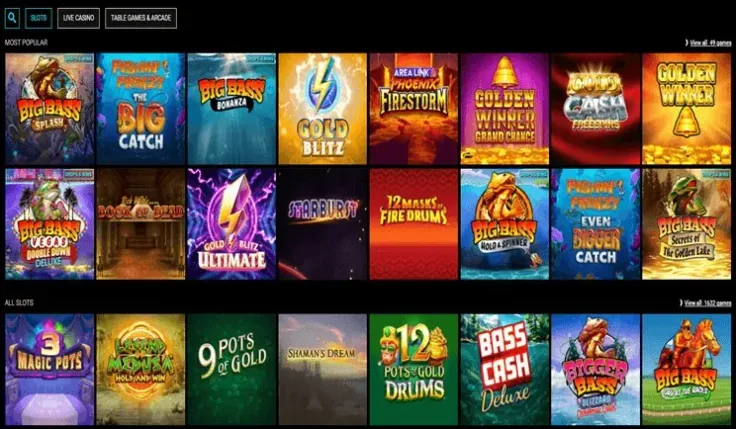
If you like to browse before choosing, the slots and live casino pages explain how those games work, whichever device you use.
Installing: there is nothing to install

Since VoodooDreams has no native app, there is nothing to find in the App Store or Google Play, and no file to download. A store search for a VoodooDreams app will not turn up an app from the casino, so you can skip that step. If you want to read more, the pages for the iPhone app and the Android app cover those platforms.
Because there is no app, treat anything that presents itself as the VoodooDreams app with suspicion. Do not install apps or files from links in messages, adverts or third-party sites, and do not change your phone's settings to allow installs from unknown sources. A fake app can capture your login details and payment information. The safe route is the browser.
To open the mobile site, use the steps shown above. A few points on what to expect from browser play:
- Updates. The site updates on the casino's side. You do not install anything, though keeping your phone's browser and operating system up to date is sensible general advice.
- Storage. The site uses no space on your phone beyond the browser's normal cache and the small home screen shortcut, if you add one.
- Connection. You need an internet connection whenever you play. If the signal drops, a game may stop loading until it returns.
- Shortcut or bookmark. Either gets you back to the right site quickly. Create it yourself from your browser, after you have reached VoodooDreams by your own route, rather than from a link someone sent you.
If you prefer a button, you can also visit VoodooDreams from this page and continue in your browser.
Practical points for phone play
Lock the phone. Your phone is now the key to your casino account, so use a passcode or biometric lock and a short auto-lock time. Do not share the device with anyone while you are logged in, and log out if you hand it over, even briefly.
Be careful with saved passwords. A browser that remembers your login is convenient, but anyone who picks up an unlocked phone can then reach your account. Use a password manager or the phone's secure keychain, and use a password you do not use anywhere else. Avoid logging in on public Wi-Fi, where other users of the network may be able to see your traffic. Your own mobile connection is usually the safer choice.
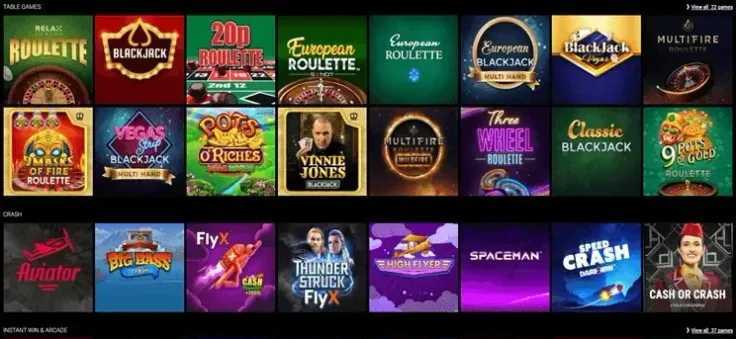
Watch your mobile data. Browser play needs data when you are not on Wi-Fi. Games with live video generally use more data than simple slots, so check your allowance if you play away from home, especially while roaming.
Use the account's control tools. A phone makes it easy to play in short bursts throughout the day, which is a good reason to set controls before you start. UK-licensed operators must offer deposit limits, time-outs and self-exclusion, and GAMSTOP covers all UK-licensed online casinos. The safer gambling page explains the tools, and you can register with GAMSTOP directly. Free support is available from GamCare.
Keep notifications under control. Switch off browser notifications you do not want, and mute or remove the home screen shortcut if you find yourself opening the site without meaning to. Gambling is entertainment that costs money, and a phone makes it very easy to start without thinking.
For deposits and cashing out from your phone, the deposits page and the withdrawals page set out the options, and the verification guide explains the account checks.